Fabric Warehouse Advisor


A modular Python advisory framework for Microsoft Fabric Warehouse. Each advisor module analyses a different aspect of warehouse health and produces actionable recommendations with rich reports.
Everything runs inside a Fabric Notebook — no external tools, no data leaves your environment.
Available Advisors
| Advisor | What it does | Output |
|---|---|---|
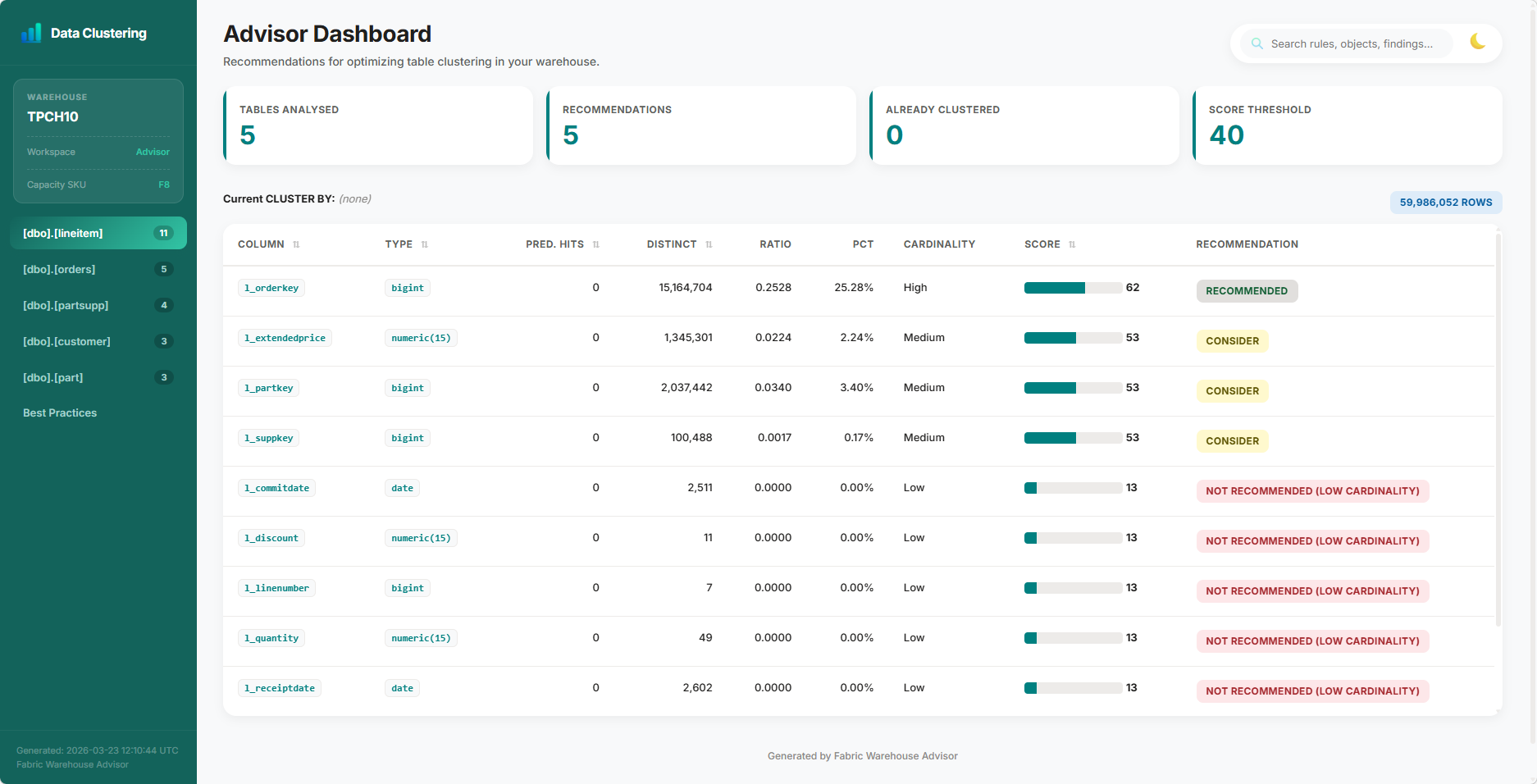
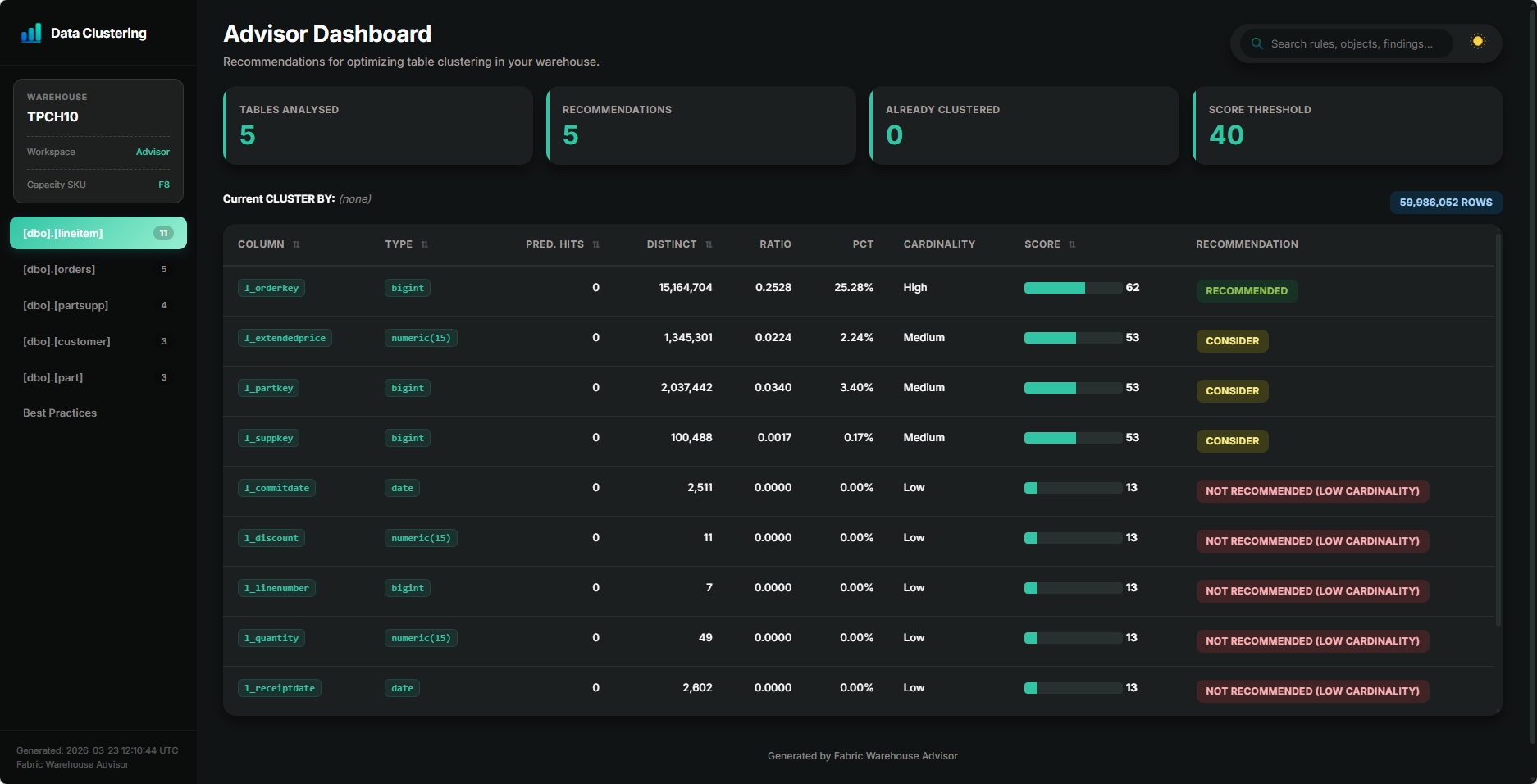
| Data Clustering | Analyzes query patterns, table metadata, and column cardinality to identify and score the best candidate columns for data clustering, optimizing physical data organization on OneLake for better query speed. | Scored recommendations (0–100) with CTAS DDL |
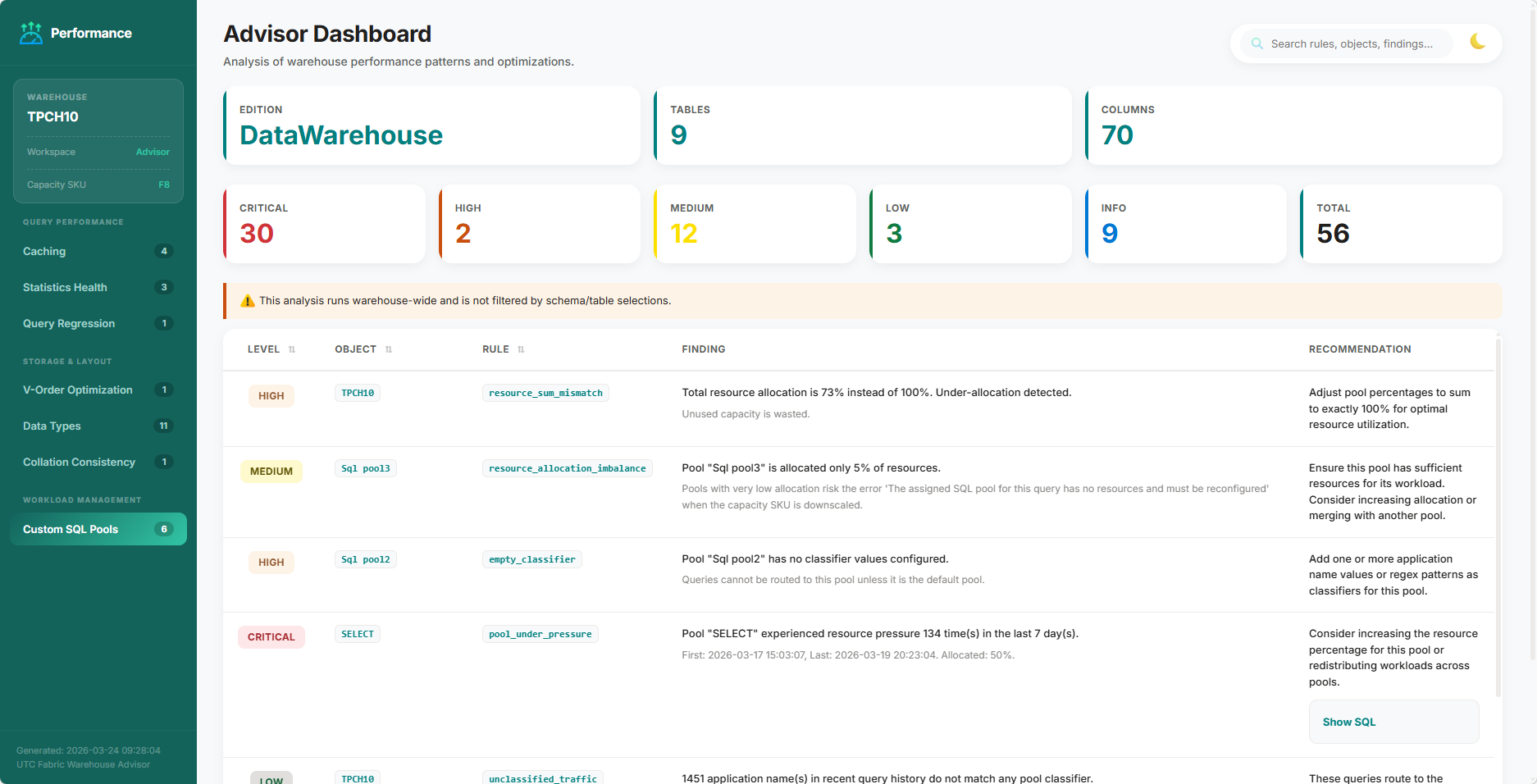
| Performance Check | Detects data-type, query regression, caching misconfigurations, V-Order status, and statistics health problems | Findings (Critical / Warning / Info) |
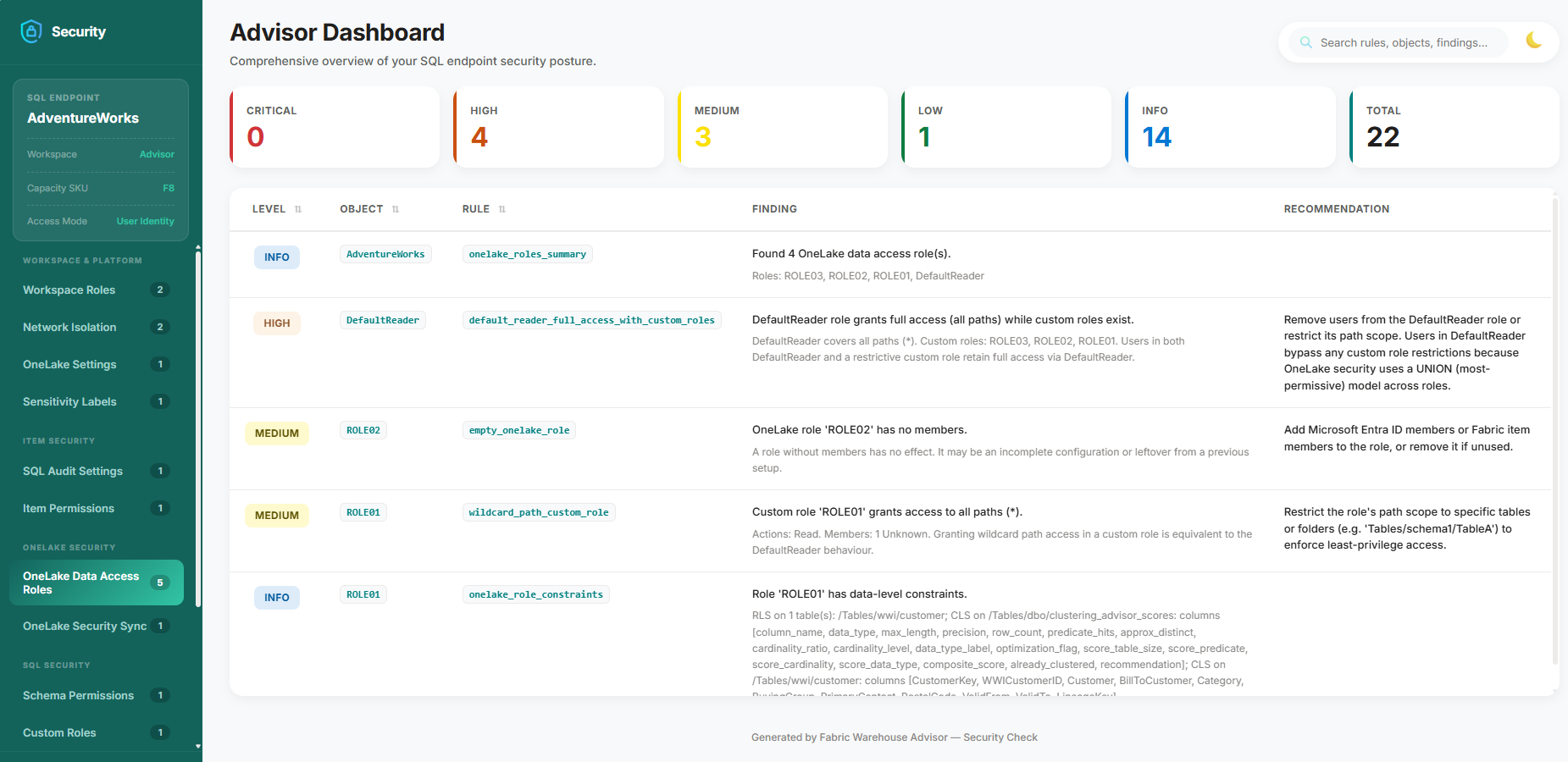
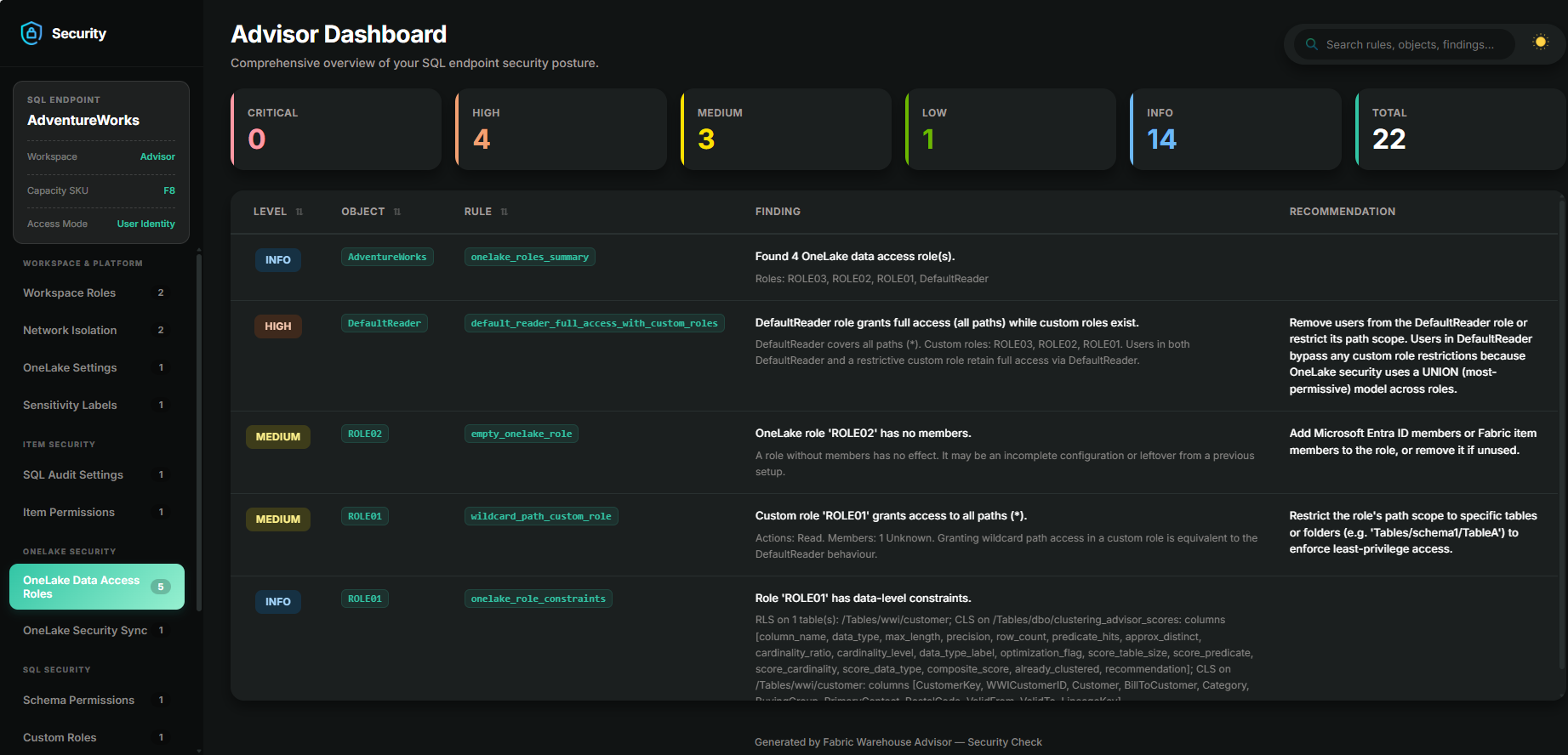
| Security Check | Scans for security misconfigurations and OneLake Security settings, including schema permissions, custom roles, Row-Level Security (RLS), Column-Level Security (CLS), and Dynamic Data Masking, delivering actionable insights with concrete SQL remediation guidance | Findings (Critical / High / Medium / Low / Info) |
Quick Start
from fabric_warehouse_advisor import (
    DataClusteringAdvisor, DataClusteringConfig,
    PerformanceCheckAdvisor, PerformanceCheckConfig,
    SecurityCheckAdvisor, SecurityCheckConfig,
)

# --- Data Clustering ---
dc_config = DataClusteringConfig(warehouse_name="MyWarehouse")
dc_result = DataClusteringAdvisor(spark, dc_config).run()

dc_result.save("/lakehouse/default/Files/reports/DataClusteringReport.html")
displayHTML(dc_result.html_report)

# --- Performance Check ---
pc_config = PerformanceCheckConfig(warehouse_name="MyWarehouse")
pc_result = PerformanceCheckAdvisor(spark, pc_config).run()

pc_result.save("/lakehouse/default/Files/reports/PerformanceCheckReport.html")
displayHTML(pc_result.html_report)

# --- Security Check ---
sc_config = SecurityCheckConfig(warehouse_name="MyWarehouse")
sc_result = SecurityCheckAdvisor(spark, sc_config).run()

sc_result.save("/lakehouse/default/Files/reports/SecurityCheckReport.html")
displayHTML(sc_result.html_report)
Screenshots
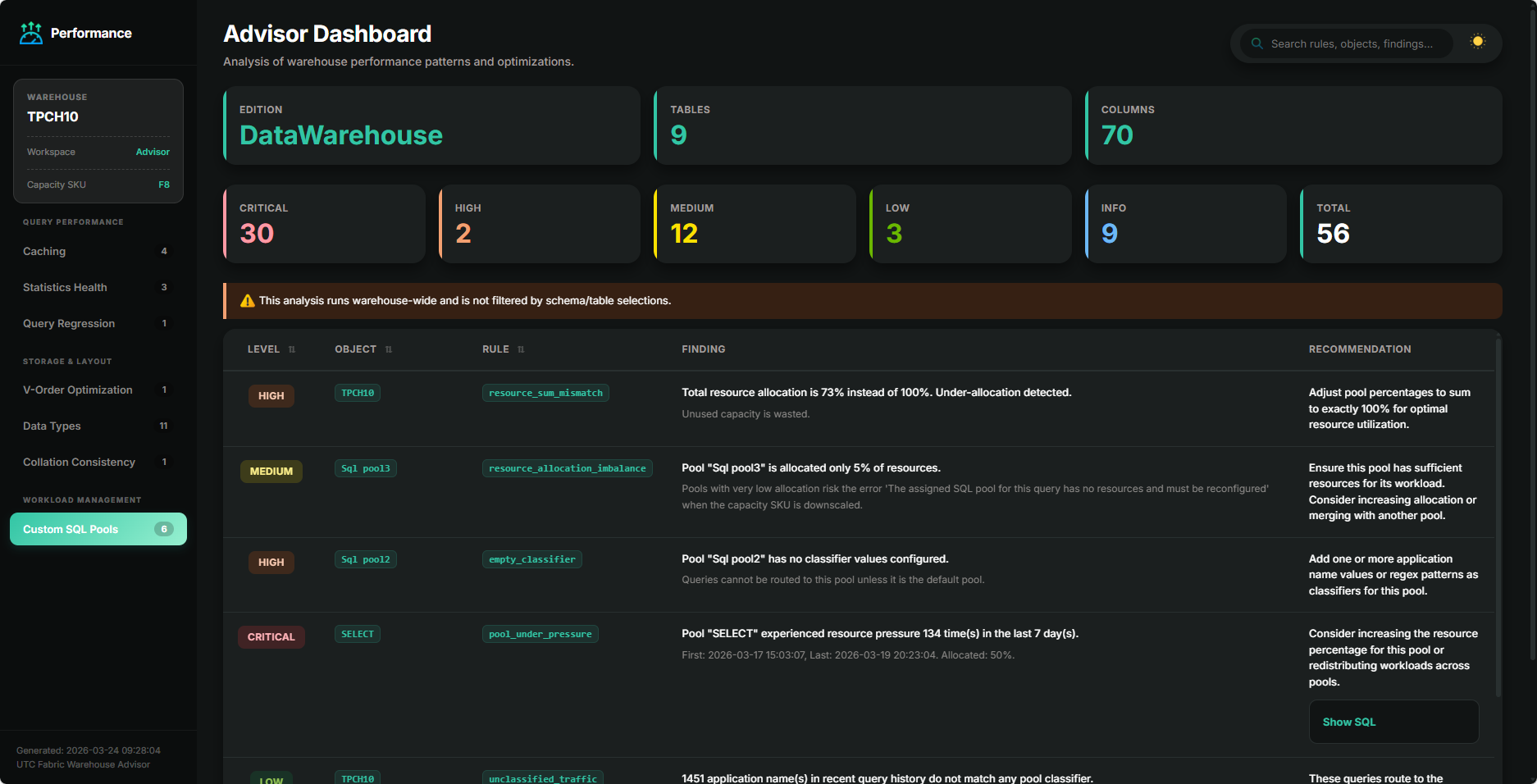
Each advisor produces a rich, interactive HTML report with light and dark themes.
Data Clustering
Security Check
Performance Check
Why use it?
- Data-driven decisions — recommendations are based on your real workload, not rules of thumb
- Zero setup — Query Insights is enabled by default on every Fabric Warehouse; just install the library and run
- Non-invasive — read-only analysis via T-SQL passthrough; nothing is modified in your warehouse
- Rich output — interactive HTML reports, Markdown, plain text, and Spark DataFrames you can persist to Delta for tracking over time
- Cross-workspace support — analyse warehouses in other Fabric workspaces from a single notebook
- Fully configurable — every threshold, toggle, and weight is exposed as a dataclass field
Acknowledgements
Report icons provided by Flaticon:
- Cyber security icons created by Freepik - Flaticon
- Performance icons created by Freepik - Flaticon
- Graph icons created by Karacis - Flaticon
- Idea icons created by berkahicon - Flaticon
- Warning icons created by Hilmy Abiyyu A. - Flaticon
License
MIT — see LICENSE for details.